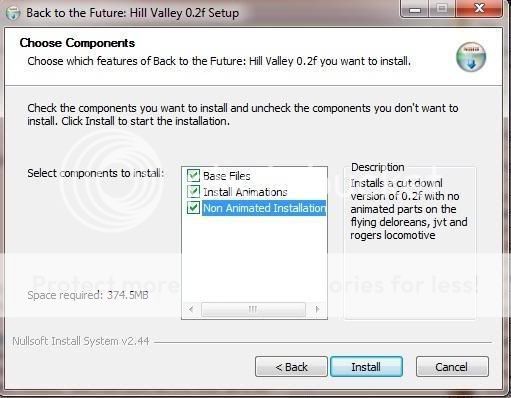
Basically, my installation has 3 sections:
Base Files
Animated Installation
Non-Animated Installation
Now, the install file itself works just fine, however, if a user chose to install all the options, this would result in a corrupt install. As such, what I want to do is set it so that "Base Files" can not be unselected as those are required for either installation, and set it so that Animated Installation and Non-Animated Installation are unchecked by default.
What I would then like to do is set a condition so that if a user selects the Animated Installation option, the Non-Animated Installation option would then grey out so that the user was unable to select both. Similarly if a user was to select the Non-Animated Installation option, the Animated Installation option would then grey out so that the user was unable to select both.
This code example kind of looks like it would do what I am asking, however this looks to be for an older version of NSIS so I was unsure if this code would work for me: nsis.sourceforge.net/Controlling_Available_Install_Options
Currently, this is how the installer looks when it gets to the choose components section, obviously having both the Animated and Non-Animated options selected is not the ideal scenario here:
Any help would be appreciated, and thanks in advance.
Mike
EDIT - I am using the latest version of NSIS.