Except that "Run as administrator" menu option does not work on Vista when UAC is turned offOriginally Posted by Animaether View PostThat just leaves you with your remaining question... "How can i tell a user to run something as admin in the latter case?". Most typically, that would be done by right-clicking on the installer executable, and choosing the "Run as administrator" option (Vista / Windows 7) or "Run as" followed by the user selecting an administrator account (XP). Screenshots:
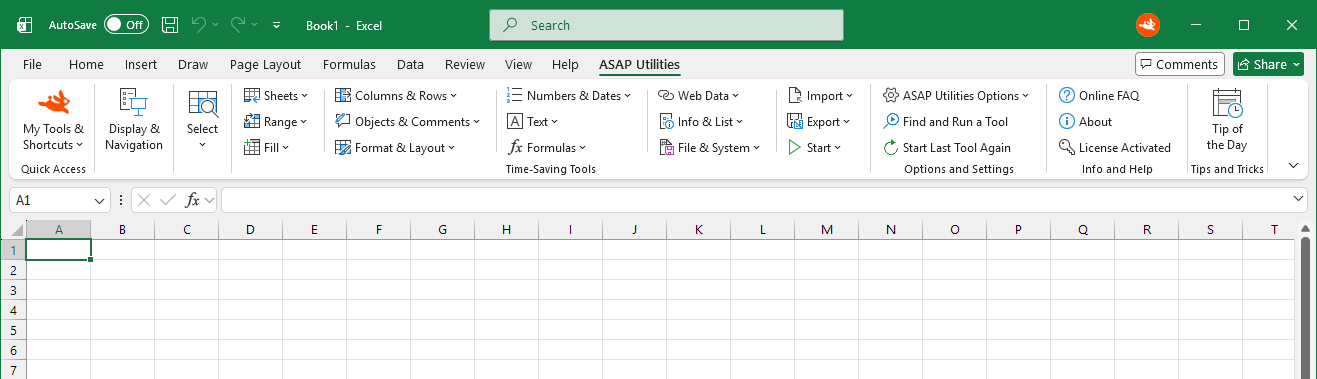 Update: April 2017 - Version 7.3+ For users with either Excel 2010, Excel 2013 or Excel 2016/365 we have created a special version of the Business edition that standard/limited users can install.This single-user setup does not require administrator rights during the installation.
UAC v0.0.11d plug-in - several questions
36 posts
Yes, same on Windows 7 and UAC turned off.Originally Posted by Anders View PostExcept that "Run as administrator" menu option does not work on Vista when UAC is turned off
Therefor I still use the UAC plugin just to make sure the RunAs Dialog will be displayed.
Gunther
Yeah, that is because the UAC plugin detects this and uses its own internal RunAs dialog in this case on NT6.Originally Posted by Netsurfer24 View PostTherefor I still use the UAC plugin just to make sure the RunAs Dialog will be displayed.
In this kind of setup, requestexecutionlevel admin+uac plugin is fine, just remember that the AsUser macros don't "work", all you can use the plugin for is the initial elevation
Anders,
I have to check back - sorry.
And the installer checks if the user has admin privileges. If not it quits (with a message box).
And the AsUser macros work fine for me (at least for the installer). For the uninstaller they do not (but it is not needed, so no problem). My uninstaller also needs Admin privileges and again I use the UAC plugin to assure this.
But anyway, if someone wanted to know some user specific (path) information despite if the user is logged-on or not, one can use the EnumUsersReg.nsh to gather these information (admin rights presumed).
Gunther
I have to check back - sorry.
I wanted to use requestexecutionlevel highest + UAC plugin.Originally Posted by Anders View PostYeah, that is because the UAC plugin detects this and uses its own internal RunAs dialog in this case on NT6.
In this kind of setup, requestexecutionlevel admin+uac plugin is fine, just remember that the AsUser macros don't "work", all you can use the plugin for is the initial elevation
And the installer checks if the user has admin privileges. If not it quits (with a message box).
And the AsUser macros work fine for me (at least for the installer). For the uninstaller they do not (but it is not needed, so no problem). My uninstaller also needs Admin privileges and again I use the UAC plugin to assure this.
But anyway, if someone wanted to know some user specific (path) information despite if the user is logged-on or not, one can use the EnumUsersReg.nsh to gather these information (admin rights presumed).
Gunther
As I have been trying to tell you: This is not true. Yes, you can *usually* get the path from registry (using EnumUsersReg). However, the path is not guaranteed to be stored in registry at all. For example, on a freshly installed Windows operating system, you can be almost sure that the value will NOT be stored in the registry. Even worse: Even if it is stored in the registry, it is not guaranteed to be correct!Originally Posted by Netsurfer24 View PostBut anyway, if someone wanted to know some user specific (path) information despite if the user is logged-on or not, one can use the EnumUsersReg.nsh to gather these information (admin rights presumed).
Granted, in most cases, this isn't too big a problem. But you need to keep it in mind. That's why using EnumUsersReg to get a user's profile folder location is an ugly workaround at best. Use it only if you know what you're doing.
As I need the (path) values only in case the respective user has installed the program before, I guess the values are present. 😉Originally Posted by MSG View PostAs I have been trying to tell you: This is not true. Yes, you can *usually* get the path from registry (using EnumUsersReg). However, the path is not guaranteed to be stored in registry at all. For example, on a freshly installed Windows operating system, you can be almost sure that the value will NOT be stored in the registry. Even worse: Even if it is stored in the registry, it is not guaranteed to be correct!
Granted, in most cases, this isn't too big a problem. But you need to keep it in mind. That's why using EnumUsersReg to get a user's profile folder location is an ugly workaround at best. Use it only if you know what you're doing.I understand what you are saying, but again ...
I only use these values to delete/uninstall previous installed versions and/ or existing shortcuts. Additionally I "clean-up" each users registry (if there are orphaned entries).
ALL new installs, shortcuts etc. will be done in the all-users context.
But thanks for reminding me. 👍
And yes, I do not trust any single value without proofing/ testing it. 😁
Thanks
Gunther