Skip to content
⌘ NSIS Forum Archive

New tool - Install Designer

21 posts

T.Slappy#

New tool - Install Designer

Hello community.

I would like to introduce my new tool called Install Designer - an application for fast and easy creating on Inno Setup and NSIS dialogs.
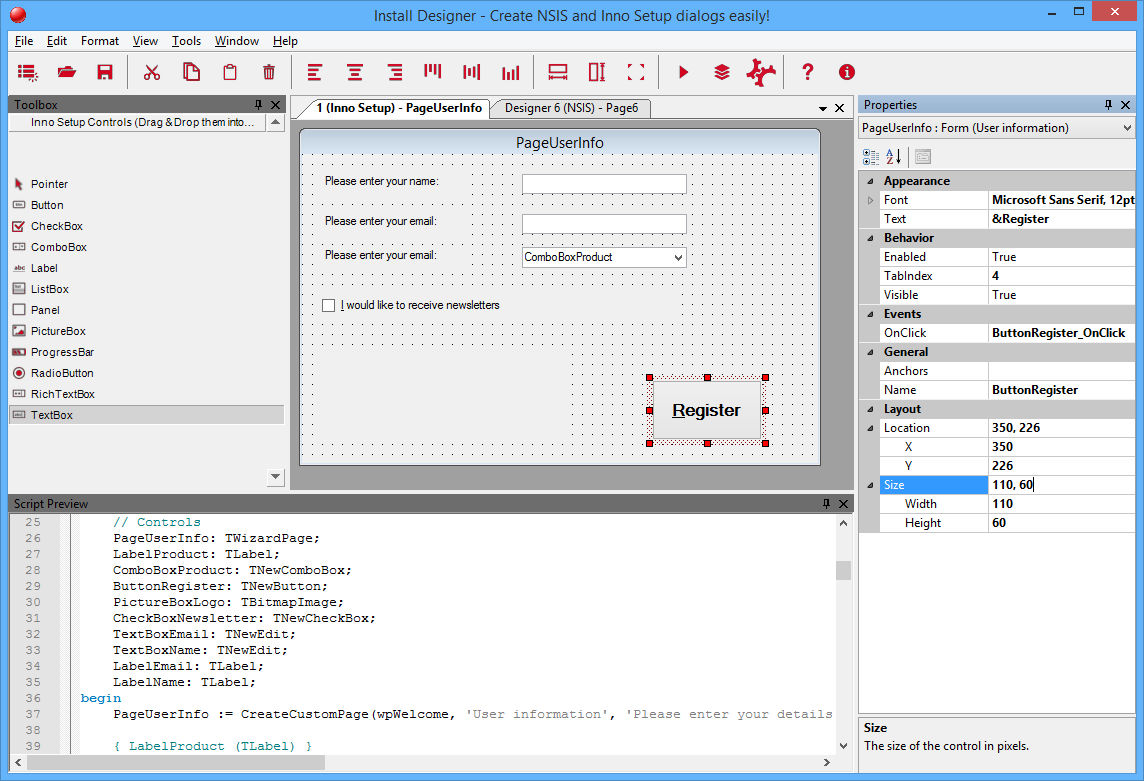


See more details on official page: http://www.install-designer.com
Anders#
Does it support dialog units? Everything except icon/image controls should default to dialog units.
T.Slappy#
Originally Posted by Anders View Post
Does it support dialog units? Everything except icon/image controls should default to dialog units.
I will update that, now it defaults to pixels for each control.
Kriggi#
Hi, T.Slappy! An interesting and necessary development, but ... 🙄

Very buggy application. It is impossible to properly create a dialogue, errors constantly pour in. Very similar to alpha release, but not final. Very sorry.


And What? Each time you run these messages. Changing the settings does not work (turn off the update, specify the path to the compilers). Nothing. When starting again and again, an error...

Remarks:

1) When creating a new project, you need to constantly choose between NSIS and Inno Setup. On the toolbar, you can make two buttons: Create NSIS and Create Inno. It is very simple and there is no need to make unnecessary movements. I can immediately choose which project to create.


2) When creating events for the Inno Setup project, a complete procedure line is added, unlike the NSIS project, where only the event name is added.

For Inno Setup (bad)


For NSIS (good)


3) When switching between the project tabs in the script preview panel, the contents do not change according to the selected panel. It is very uncomfortable. To see the scenario, you need to change the property of the control or move it.


4) Properties panel. Cannot specify multiple parameters for a property. For example. Property Anchor. I select several options:


But only one gets into the property !?


5) Instant compilation of the project in the TEMP folder when changing any property or moving the control on the form ?! Because of this, the program is terribly freezed. I think that compilation should be (and I think it is correct) only after the user gives the command (click Compile+Run or Usage button).

6) Settings dialog: Cancel button does not work. To close the dialog, click [x] in the dialog header. Very uncomfortable.

I still have a lot of remarks because of which I will not recommend your program for use. 🧟
T.Slappy#
Hello Kriggi.

I recommend you to run the application as Administrator.
That will solve most of your issues.
As you can see you do not have appropriate rights so the application cannot write the configuration into file (e.g. C:\Program Files (x86)\ folder) so this is an issue with your User account, not the problem in the app.

We are working on new version so we will consider your ideas:
  • Separate buttons for new NSIS / Inno Setup script: there is already button for creating new dialog in toolbar (From our analysis the most users create up to 4 dialogs at start and then work with them)
  • Switching the tab with immediate script refresh is a good idea.
  • We will reconsider immediate script compiling - apparently it is not suitable for a slower computers.
  • Issues with Properties panel (bug) - will be fixed.

    I will let you know here when the new version is released.

    Regards and Merry Christmas!
Anders#
Originally Posted by T.Slappy View Post

I recommend you to run the application as Administrator.
As you can see you do not have appropriate rights so the application cannot write the configuration into file (e.g. C:\Program Files (x86)\ folder) so this is an issue with your User account, not the problem in the app.
Ideally applications should store their configuration in %AppData% and not require admin rights.
T.Slappy#
Version 1.0.1.1

Hello.

Install Designer 1.0.1.1 released - with many fixes and improvements.
  • Removed immediate compilation after some change is made in designer (better performance on slower computers)
  • Fixed Access Denied error when exiting the application - Layout.config is now saved in LocalAppData folder and warning is shown if file cannot be written
  • Fixed issues with multiple selected items in checklistbox in control's Properties (Anchors, Style, ExStyle, ...)
  • Cancel button in Settings dialogs closes the dialog
  • It is possible to use keyboard arrows to navigate in Settings dialog
  • Changed file modified flag to " ⚫ "


This release is FREE for all customers (our gift to you ❤️) Merry Christmas! ⛪️
T.Slappy#
Version 1.0.1.2

Hello.

Install Designer 1.0.1.2 released - with many fixes and improvements.
  • New NSIS and Inno Setup properties group: Expert for advanced script generating
  • Property No Events Handlers (NSIS and Inno Setup): When set the Events Handlers will NOT be generated into the script.
  • This may cause compilation error(s) if you do not have them defined correctly in some other place!
  • Property Graphical Installer Redraws (NSIS): When set the controls will be updated to work in the Graphical Installer page.
  • This may cause compilation error(s) if you do not have defined correct includes!
  • Improved UX/UI: removed redundant content from designer tabs
  • Improved UX/UI: separate statuses for designer and script file name
  • Application accepts passing filename as an argument (NSIS and Inno Setup .designer file) that is opened at startup
  • Installer can associate .designer files that are opened in Install Designer application (with custom icon)


Visit the official website http://www.install-designer.com/ for more details and download.

T.Slappy#
Version 1.0.1.3

Hello.

We have released Install Designer 1.0.1.3 packed with new features and improvements:
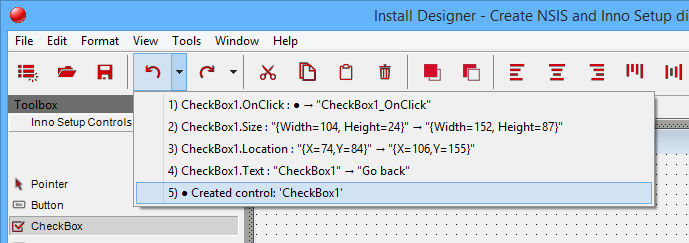
  • Implemented Unlimited Undo + Redo for all actions performed in designer (also creating / deleting controls!), with default shortcuts Ctrl + Z / Ctrl + R
  • Added missing shortcuts for all toolbars and menus actions
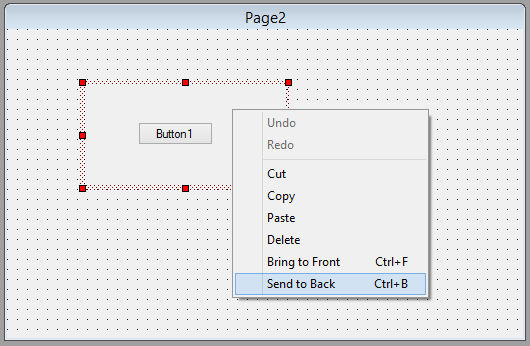
  • Added Controls Z-order feature - it is posible to Bring the control to the Front (Ctrl + F) or Send the control to the Back (Ctrl + B) and adjust how the controls are layered on the dialog
  • Refreshed UI, updated toolbars's icons
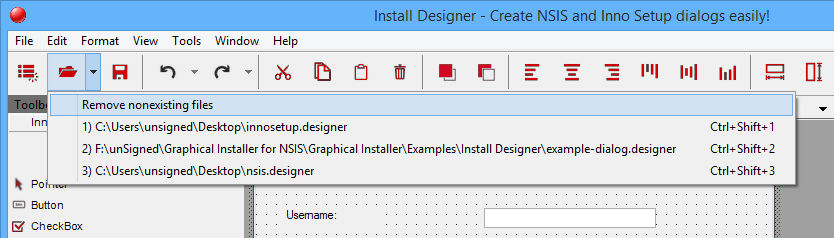
  • Added Open Recent File feature to easily open most recent files (up to 10 most recent files).
  • Fixes and improvements in Script Generator and Dialog Designer


Visit the official website http://www.install-designer.com/ for more details and download.


T.Slappy#
Version 1.0.1.4

Hello.

We have released Install Designer 1.0.1.4 packed with new features and improvements:
  • Added button for navigating to the Main script file for NSIS (.nsi) and Inno Setup (.iss) scripts
  • Fixed bug: pressing Del key in Properties window which wrongly deleted the currently selected component in designer instead of deleting the character in Text property
  • Shortcut for deleting control(s) in designer is now Shift+Del
  • Fixed bug: pressing arrow keys in Properties window (to move the caret for Text property) now does not move the currently selected component in designer
  • Added "NSIS" / "Inno Setup" text to various dialogs and windows to better distinguish which installation system is used.
  • Improvements in Script Generator
  • Added possibility to select the installer's language on startup


Visit the official website http://www.install-designer.com/ for more details and download.
T.Slappy#
Version 1.0.1.5

Hello.

Install Designer 1.0.1.5was released - with many fixes and GUI improvements:
  • Whole GUI has been refreshed and modernized using DockPanel Suite (version 3) which is the Visual Studio inspired docking library for .NET WinForms (see its offical website). The ID now behaves more user friendly.
  • All "standard" features are now supported (like closing the tab with mouse wheel click, ...)
  • Added icons in various places: Toolbox window, Properties window, Script Preview window, ...
  • Unified fonts and colors across the whole user interface
  • Designer window now shows NSISProject icon NSIS or InnoSetupProject icon Inno Setup icon instead of text (to distinguish type of opened dialog)
  • Designer tab now supports long texts (file name and full dialog name is now displayed)
  • Support for NSIS 3.06 and NSIS 3.06.1 (see changes)
  • Added checking for Property validity Property validity
  • (e.g. property Name can use only characters [a-z][A-Z][0-9] and '_' ) for NSIS and Inno Setup controls
  • Pressing F1 on any selected word in Script Preview window opens appropriate NSIS or Inno Setup help file (useful if the compiler shows error in generated script)
  • Copy and Paste was improved: pasting the same component again and again now creates copy with unique name (LabelXyCopy, LabelXyCopy2, LabelXyCopy3, ...)
  • Installer: improved German translation


Visit the official website http://www.install-designer.com/ for more details and download.
T.Slappy#
Version 1.0.1.6

Hello.

Install Designer 1.0.1.6 was released - with many fixes and new NSIS controls:
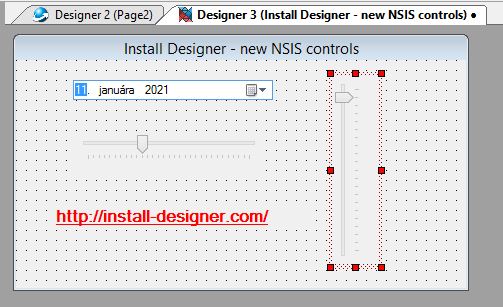
  • Implemented 4 new controls: Link, DatePicker, HTrackBar, VTrackBar for NSIS dialogs
  • Added several missing properties for both NSIS and Inno Setup dialogs and controls
  • Support for Inno Setup 6.1.2 (See changes), supported new events and properties
  • Huge improvement in Undo Manager for both NSIS and Inno Setup: Undo/Redo supports for sets (Style, ExStyle, Anchors, ...)
  • Undo Manager now sets NSIS and Inno Setup Events properly (even if null) and triggers correct Property changed events
  • Changes on Control made by Undo Manager are applied immediately in Properties window (without need to reselect the control)
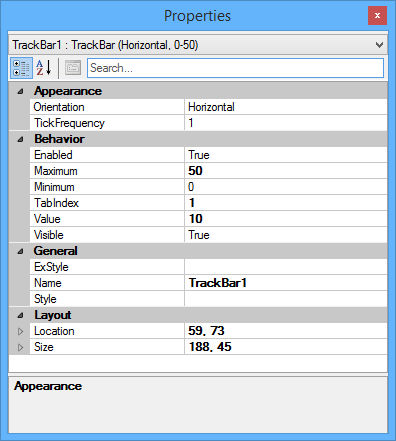
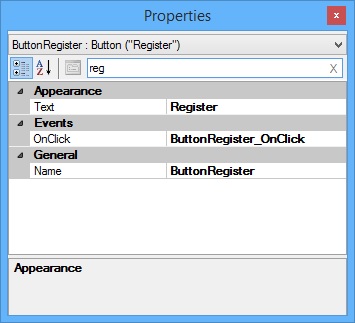
  • Possibility to Search (Filter) Properties (in Properties window) for currently selected Control
  • Fixed various "Object reference not set to an instance of an object" exceptions


Visit the official website http://www.install-designer.com/ for more details and download.


T.Slappy#
Hi guys.

I forgot to mention one, very important new feature introduced in Install Designer 1.0.1.6:
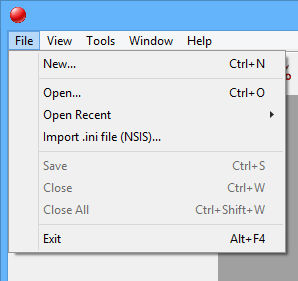
  • Implemented import of InstallOptions .ini files for NSIS dialogs


With this feature you can easily convert your existing "old" dialogs into "new" modern ones based on nsDialogs.
T.Slappy#
Version 1.0.1.7

Hello.

Install Designer 1.0.1.7 was released with following changes:
  • Added searching (filtering) Properties on Names and also on Values (in Properties window) for currently selected Control
  • Support for Inno Setup 6.2.0 (see changes)
  • Support for Graphical Installer for Inno Setup 6.2.0 (Yanka) and Graphical Installer Wizard 1.17.01 (see changes)
  • Added support for new control and new/updated properties
  • Support for NSIS 3.07 (see changes)
  • Support for GI for NSIS 4.11.01 (Xolka) and Graphical Installer Wizard 1.16.01 (see changes)


Visit the official website http://www.install-designer.com/ for more details and download.

T.Slappy#
Version 1.0.1.8

Hello.

Install Designer 1.0.1.8 was released with following changes:

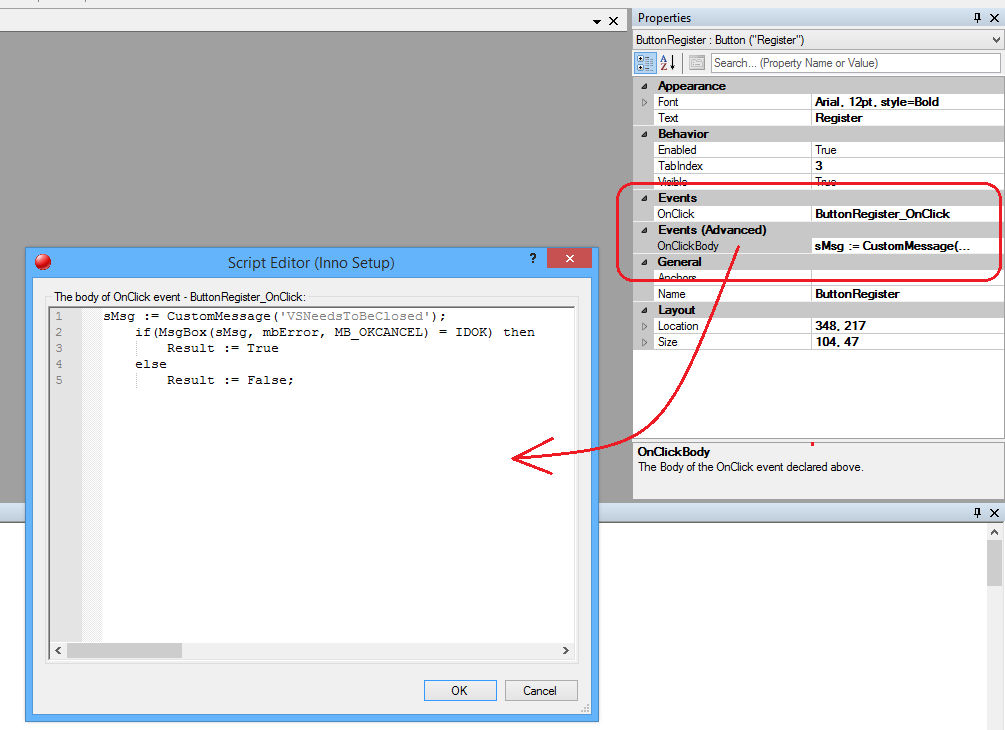
  • Added possibility to define custom Body of Events (Functions)
    The Body is saved in dialog's .designer file together with Event / Function - each has appropriate Body, set in section Events (Advanced).
  • NSIS scripts are now saved as UTF-8 with BOM
  • Fixed issues with creating TPanel component in Inno Setup
  • Added Errors Annotations in Script Preview form to better signalize Error location (previously only Message Box was shown)
  • Fixed issues with loading / saving components from / to .designer file
  • Several minor improvements for better user experience


Visit the official website http://www.install-designer.com/ for more details and download.


T.Slappy#
Version 1.0.1.9 and 1.0.1.10

Hello. We have updated out tool for WYSIWYG editor of setup dialogs.

Version 1.0.1.9
Release: 2021-11-09
  • Controls placed on Designer now supports Global Variables mode (can be turned On / Off in Settings
  • Global NSIS control's variables are marked with /GLOBAL parameter
  • Fixed exception when creating more than 10 menu shortcuts (Open recent file menu)
  • Improved opening .designer files with Drag & Drop: now it is possible to drop file anywhere in the window
  • Fixed creating DateTimePicker control (also Cut/Copy/Paste operations on it)
  • Fixed Context Menu: items are shown/enabled correctly according to the action
  • Added Open Containing Folder action (Right click the Designer) to explore the folder with the .designer and script files
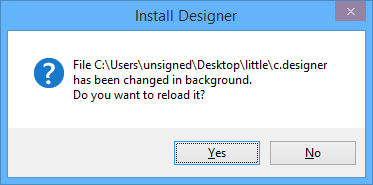
  • App now automatically detects when .designer file is changed / deleted / renamed Changed / deleted / renamed file and offers to reload / close / rename / ignore the change(s)
  • Added possibility to open the same .designer file multiple times (new option in Settings)
  • Opening associated .designer file with Double click brings the main window into foreground
  • Improved help system: help is context sensitive (based on selection) and works from any dialog
  • App's status bar now contains icon for .designer file, or script file and for Modified flag
  • Improved syntax highlighting in generated script files
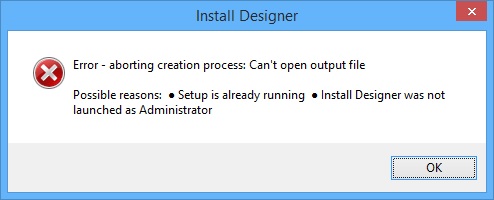
  • Added Message Box with instructions when Compiler shows unknown Error (mostly because the Setup is already running or Install Designer was not launched as Administrator)
  • Tons of other UI and UX improvements for easier use and faster work!


Version 1.0.1.10
Release: 2022-06-05
  • Support for NSIS 3.08 (see changes)
  • Support for Graphical Installer for NSIS 2022.1 and Graphical Installer Wizard 1.18.01 (see changes)
  • Fixed bug with empty Open recent list: most recent files are shown correctly
  • Improved checking for Property validity: added checking Events (currently: "Name", "OnClick", "OnDblClick", "OnKeyDown", "OnKeyUp", "OnKeyPress", "OnChange") in all NSIS and Inno Setup controls
  • Undo manager allows you to undo this action (otherwise script will be not compiled correctly)
  • Official support for Windows 11 (also ARM)
  • Official support for electron-builder scripts (editing any electron-builder .nsi or .nsh or .iss scripts)
  • Installer now supports multiple processor architectures (x86, x64, arm64, ia64) - useful when running Windows on ARM


Each member registered on this NSIS forum receives -20% OFF.

Visit the official website http://www.install-designer.com/ for more details and download.
T.Slappy#
Hello community.

We have released Install Designer 1.0.1.11 with following changes:
  • Support for NSIS 3.09 (see changes)
  • Support for Graphical Installer for NSIS, Build 2023.1 with Graphical Installer Wizard (see changes)
  • Support for Inno Setup 6.2.2 (see changes)
  • Support for Graphical Installer for Inno Setup, Build 6.2.2 with Graphical Installer Wizard (see changes)
  • Inno Setup script now uses // instead of ; for header comments.
    The generated script can be directly included from any [Code] section or any .iss file
  • Added check for unique Name property : Property 'Name' (case insensitive) of all controls must be unique (both NSIS and Inno Setup)
    Undo Manager allows you to Undo this action (otherwise script will not compile correctly)
Click image for larger version

Name:	unique-names.jpg
Views:	231
Size:	224.7 KB
ID:	4619050

Visit the official website http://www.install-designer.com/ for more details and download.​
T.Slappy#
Hello community.

We have released Install Designer 1.0.1.12 with following changes:

Version 1.0.1.12

Release: 2024-05-21
  • Support for NSIS 3.10 (see changes)
  • Support for Graphical Installer for NSIS, Build 2024.1 with Graphical Installer Wizard (see changes)
  • Minor fixes (null checks)
Click image for larger version

Name:	image.png
Views:	163
Size:	67.8 KB
ID:	4631884

Visit the official website http://www.install-designer.com/ for more details and download.​​
T.Slappy#
Hello community.

We have released Install Designer 1.0.2.13 with following changes:
Release: 2024-11-03
  • Script Editor window now automatically receive focus [ + ] to make editing easier
  • Added new Validator: Body Event Validator [ + ] which validates whether Body has appropriate Event set.
    Currently: "OnClick", "OnDblClick", "OnKeyDown", "OnKeyUp", "OnKeyPress", "OnChange", "OnBack", "OnBackButtonClick", "OnCancelButtonClick"
  • Clicking the Status Bar now navigates to the script file ( .iss or .nsh) or .designer file (of currently active frame)
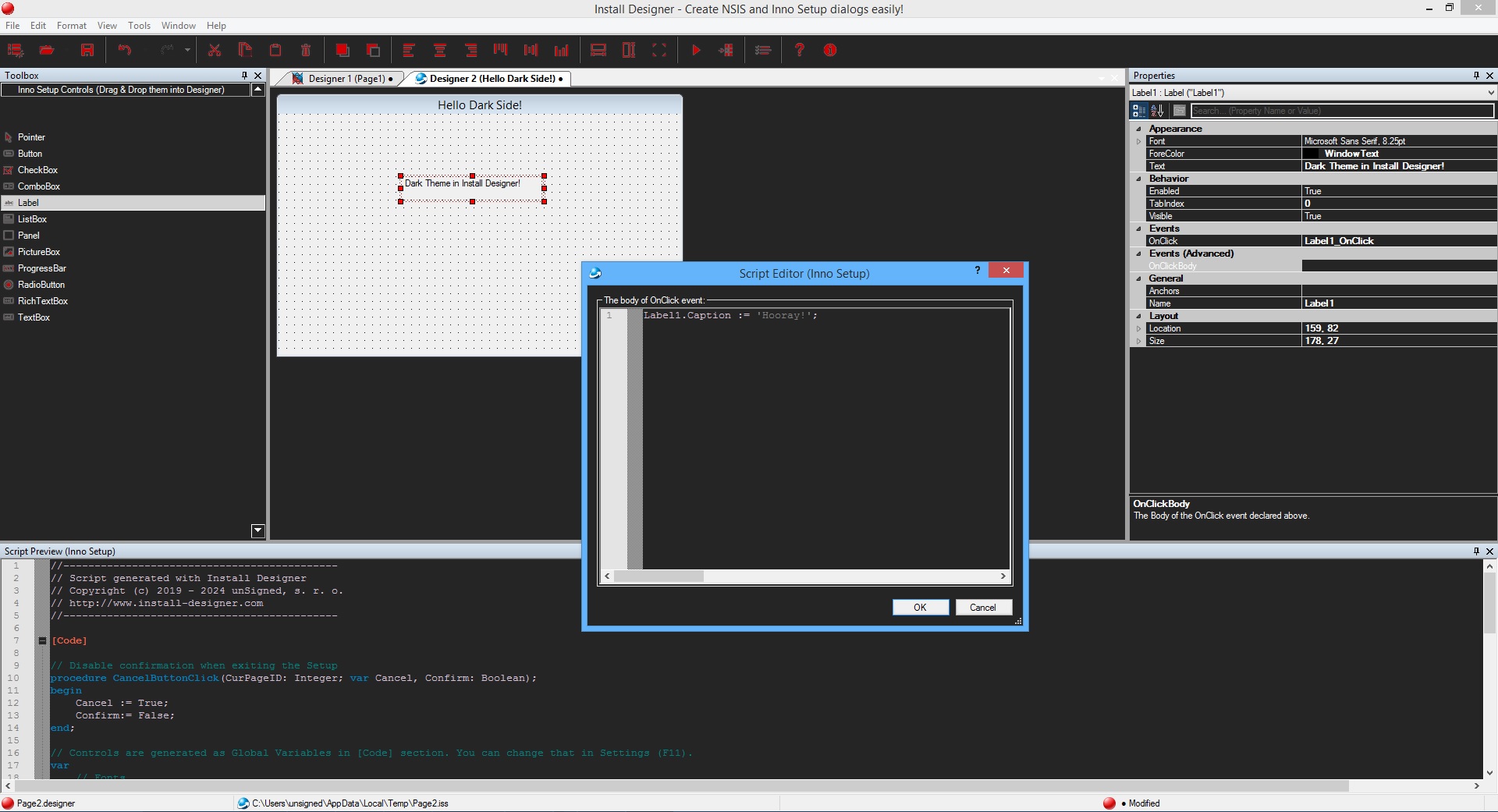
  • App now supports Dark Theme
    : can be set in Settings dialog (by default Light Theme is used).
    Dark Theme is applied to the GUI of the app (windows, dialogs, ...) and also to the Scripts (script viewers and syntax highlighting) Manual
    Note: Setting Dark Theme will *NOT* generated dark themed installers. This option affects the Install Designer app only!
Visit the official website http://www.install-designer.com/ for more details and download.​​
T.Slappy#
Hello community.

We have released new version of our tool Install Designer:

Version 1.0.2.14
Release: 2025-03-20
  • Support for Inno Setup 6.4.2 (this also includes Inno Setup 6.4.1 and 6.4.0, see changes)
  • Support for Graphical Installer for Inno Setup 6.4.1 and Graphical Installer Wizard Build 2025.1(see changes)
  • Fixed Null Reference Exception(s) in the code
  • Support for NSIS 3.11 (see changes)
  • Support for Graphical Installer for NSIS, Build 2025.1 with Graphical Installer Wizard (see changes)
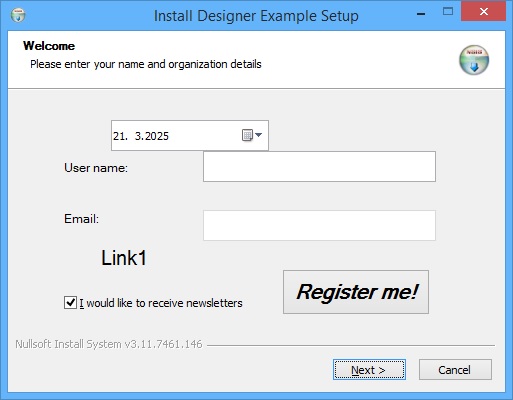
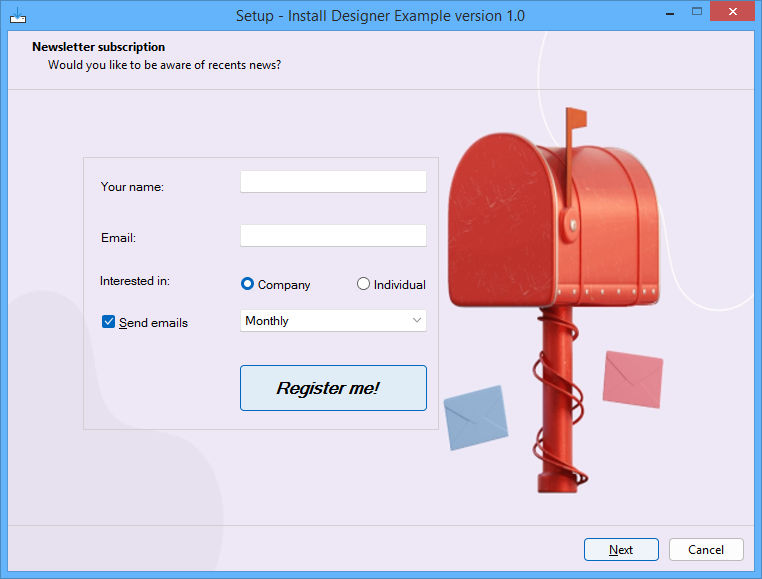
  • Improved Dark Theme elements
  • Install Designer now works with NSIS 64 bit - unofficial port of NSIS
    for 64 bit from https://github.com/negrutiu/nsis
    This port can produce native x86 and amd64 installers, compatible with all Windows versions (NT4+)
​Visit the official website http://www.install-designer.com/ for more details and download.​​
​​
T.Slappy#
Hello community.

We have released new version of our tool Install Designer: (sorry I forgot to update this thread):

Version 1.0.2.16 / 1.0.2.15

Release: 2026-01-30
  • It is possible to create skinned design
    of the final Inno Setup installer (requires Inno Setup 6.7.0 and newer)
    This feature works similar to Graphical Installer for Inno Setup where you can specify many design aspects of your installer.
  • Designer area increased up to 150% for Inno Setup dialogs, so its possible to place more controls on dialog to create rich pages.
    This feature is based on [Setup] directive WizardSizePercent
  • [Setup] section can be customized
    with directives that are immediately applied to the installer
    See https://jrsoftware.org/files/is6-whatsnew.htm (or your local Inno Setup help file) for details
  • Added several new examples for both Inno Setup and NSIS.
    You can find examples in folder c:\ProgramData\Install Designer\Examples\. (Ctrl+O to open them)
  • Support for Inno Setup 6.7.0 (this also includes Inno Setup 6.6.1 and 6.6.0, see changes)
  • Fixed wrong generation of Click Events in case the event was empty ("")
  • It is possible to copy controls fronm NSIS to Inno Setup dialog and vice versa


​Visit the official website http://www.install-designer.com/ for more details and download.​​​